Friday, October 24, 2014

Legal Status of Video Game Emulation

Emulators are Legal if they don't require an "dumped" BIOS file to run; It's Illegal to Share these BIOS files and those Copyrighted Rom files on the Internet. The BIOS file was Sony's Main Issue with the PlayStation and PlayStation 2 Emulators throughout History.

 BIOS files wasn't an Issue with Nintendo, as many Emulators didn't need them; so with Nintendo, they were mostly upset about people not using the Official Hardware. Even So, GBA consoles no longer Exist, and Nintendo No Longer sells the Games, if Nintendo doesn't wan't Emulation Then they should Offer all of their Old Games on their Virtual Console. Many People use Emulation, because their Favorite Old Game isn't Offered on the Virtual Console.

I have also seen an few "Legal" PlayStation Emulators, Firstly since PCSX-R (PSX), and PPSSPP (PSP) actually "Simulate" their BIOS files instead of needing Copyrighted files, they are Technically "Legal", as Long as you Play Games from the Physical Disc; either by using the PSX Game Disc in your PC's Disc Drive, or by Connecting your PSP to you PC via USB to be an "External UMD" Drive. But, no Matter what the Situation. You will always Find that People will Emulate Rom Files, Their is no stopping the Advancement of Technology.

 In my Opinion, since Nintendo is Against Emulation, they should Offer Every Game for their Previous Consoles on their Modern Virtual Consoles, either that or Shut Up and just Allow these Emulators, I mean why fight what's Fated to Happen? Even So, Eighth Generation Consoles Like Sony's PlayStation Vita, and Nintendo's 3DS/2DS are Technologically Advanced enough to Prevent their Software Being Emulated, at this Current Time.

I mean it may be ten or fifteen years before their's an Decent Nintendo 3DS Emulator. Mostly all of these Emulators are "Unstable", and are just able to Play "Homebrew Software". What They need to do is Crack Down on these "Fake Emulators" for the Newer Consoles, I mean Valid Console Emulators that "Actually" work are Good for Business in Some ways; I mean, if I could Emulate an Nintendo Wii U or even the 3DS I might be more inclined to Buy the actual Hardware; But, an Wii U Emulator is Non-Existant, and All "Current" Nintendo 3DS Emulators Are Fake and/or Contain Viruses!

Now, I actually own an Nintendo 3DS Handheld Console; I would only use an PC-Based Emulator to Test an Game Before I Buy it, You know so I don't just Waste $40 USD on a Game and Hate it; sure I can Trade in the Game at GameStop if I Hate it; But, I'll never get the Full Amount that I payed for it Back. This is called "Try before you Buy". And I find nothing wrong with this method Personally.

I recently found this on Nintendo's Corporate Legal Information page:
"It is Illegal to download and play a Nintendo ROM from the Internet." 


Even so, I stand by my Beliefs and Mostly use Emulators as an Try before you Buy system, To Play Old Games you can't buy anymore, and to Play "Fan-Made" Rom Hacks/Modifications.
I don't Now or Have I ever Condoned Video Game Piracy! But, yes There is both Pros and Cons to this Matter; So, as always You assume all Risks with using Video Game Emulation.

Estimated Time Before Emulation is Perfected for Newer Generation Consoles (In Years; from Now (2014)):

Xbox 360/ 5-10 years
PlayStation 3/ 5-10 years
PlayStation 4/ 10-15 years
PlayStation Vita/ 15-20 years
Nintendo 3DS/ 10-15 years
Nintendo Wii U/ 15-20 years
Xbox One/ 15-20 years

Note: these Figures are just my Approximate Estimate, and are meant only as an Guideline. (An Emulator can be Developed/Released at Anytime)
Note2: I Keep my Blog Updated with all Advances in Video Game Emulation. (So, always Frequent it)

External Reference Sites:
Nintendo Corporate - Legal Information

Saturday, September 20, 2014

Rocky's Custom iPhone Ringtone Pack 2015


These Ringtones where all made by me using the Program iRinger 4.2 for Windows; as such, I only take credit for Making these M4R format Ringtones as well as Compiling them into an Nice and Neat Ringtone Pack. Compressed as an RAR Archive.  I hope you will Enjoy them; Just Import the Extracted Pack into your iTunes. If they don't auto-import in the "Tones" Section, Right-Click the Album under "Music" and select "Get Info", and Change the Media Type to "Ringtone". Then Just sync the Ringtones with Your iPhone.

Technical Specs:
Total Pack - 14 Ringtones, 7 Minutes, 19.7 MB
Each Ringtone - 30 Seconds, M4R format

Copyrights:
Rocky's Custom iPhone Ringtone Pack -  2014/2015 Charcoal Studios, Ltd.
Music Converted into M4R Ringtones - Copyright to their Respective Artists. (1980's - 2014)

Credits:  Read the Enclosed RTF file "Credits.rtf".

Free Download:
Download: Rocky's iPhone Ringtone Pack 2015.rar

Installing/Importing:
1. Extract the RAR File using WinRAR or IZArc.
2. Drag and Drop the Extracted Folder into your iTunes Window.
3. Sync your iPhone.

Note: I never tested it; but, you might be able to use the custom Tones on an iPod Touch? Even tho it's Not a Phone; many iOS Apps like: Facebook, Twitter, Skype, and LINE. Maybe able to use Custom Tones for their Alerts. But, Like I said this is Untested!
Note2: All Apple iPhones use the M4R format and are Usually 30 seconds long. (So, this Custom Ringtone Pack will be Compatible with just about every Model of iPhone.)

I have Tested it using an iPhone.
Model: iPhone 4s
Carrier: AT&T (Now with an SIM Card; it's a AT&T iPhone)
Firmware Version: Apple iOS 8.0.2

Wikipedia Reference Pages:

Apple, Inc.:
Apple iPhone 4s [Phone Discontinued by Apple : September 9th, 2014]
Apple iPhone 5
Apple iPhone 5c
Apple iPhone 6/iPhone 6 Plus
Apple Firmware: iOS 5 (First iOS to allow Firmware Updates via Device)
Apple Firmware: iOS 8  (Current iOS Available)

Generic Technology:
SIM Card
SIM Card Cloning
Ringtone

FileInfo.com: iPhone Ringtone File (.m4r)

Other Downloads:
Install Apple iTunes 12 (Windows XP SP3+, or Mac OSX)

Thursday, September 11, 2014

Wakfu Animated Series Coming to Netflix!

Wakfu Animated Series (English Dub); Coming to Netflix Streaming on September 14th, 2014! in the U.S., Canada, U.K., Ireland, Netherlands and Nordics. It should be great for International Business and Gain more Followers, Fans and Wakfu MMORPG Players. Around the Globe. I personally know that I myself Plan on Watching this Anime; I got a big interest in the TV Show, while I was Playing the Game. So, only 3 more Days to Wait until it Comes to Netflix!
The Animated Series itself was actually Animated using Adobe Flash Technology; and looks rather Great.


News Stories:
Wakfu.com: http://www.wakfu.com/en/mmorpg/news/announcements/423988-animated-series-wakfu-netflix
Crunchy Roll: http://www.crunchyroll.com/anime-news/2014/09/09/wakfu-the-animated-series-to-stream-on-netflix
Anime News Network:
http://www.animenewsnetwork.com/press-release/2014-09-10/ankama-goes-global-through-netflix/.78651
Foxbuzz: http://foxbuzz.com/wakfu-animated-series-netflix/
Boston Herald:
http://bostonherald.com/business/media_marketing/2014/09/netflix_acquires_ankamas_french_toon_series_wakfu
Wired UK: http://www.wired.co.uk/news/archive/2014-09/09/wakfu-netflix

Netflix Page:
http://www.netflix.com/WiMovie/80003196?trkid=13752289 (Now on Netflix!)

Thursday, April 17, 2014

Video Game Emulation - Updated

I love to Emulate old Retro Video Game Consoles on my PC.
A great Guide to Awesome Emulators; tho, Google the Emulator's Official site as their Download maybe of an Outdated Version: http://www.freeemulator.com/


Known Current Emulator Versions (for Windows; That I Personally Use):
Legend: Console/ Emulator/ Current Version

PSP/ PPSSPP (x86)/ 0.9.9.1
Download: PPSSPP
PS2/ PCSX2/ 1.2.1 r5875
Download: PCSX2
PSX/ pSX/ 1.13 -final
Download: pSX Emulator
N64/ Project64/ 2.1.0.1
Download: Project64
SNES/Snes9x (x64)/ 1.53
Download: Snes9x
NES/ RockNES/ 5.142 (My Personal Favorite; not listed on the site)
Download: RockNES 5.142
GBA/ VBA-M/ 1.8.0 r1229
Download: VBA-M
NDS/ DeSmuME (x64)/ 0.9.10
Download: DeSmuME
Wii & GCN/ Dolphin (x64)/ 4.0.2
Download: Dolphin
Atari 2600/ Stella/ 4.0
Download: Stella
MS-DOS/ DOSBox/ 0.74 (Doesn't quite work on 64-Bit hosts)
Download: DOSBox

As you see; I have Tried a Emulator for Almost Every Console! (Even a Semi-Working one for a Nintendo 3DS; But, I Talked about that in a previous Post)

Systems Currently without Emulators (Non-Working, Fake, Viruses, or Scams):
Microsoft Xbox 360, Microsoft Xbox One, Sony PS3, Sony PS4, Nintendo 3DS, Nintendo Wii U.

Currently "Homebrew Only" Projects:
Nintendo 3DS/ Citra
Sony PS3/ rpcs3
Microsoft Xbox 360/ Xenia

Graphics rendering with Emulators; for Windows mostly use DirectX (Usually Direct3D or Direct Draw); Tho, you can also get decent Graphics with OpenGL. And, certain Emulators are powered by OpenGL only. And you'll find that XAudio2 will work better than Direct Sound.

It's also common to Use a Gamepad with Many Emulators as Well.
My Gamepad is an PDP Afterglow AX.1 Xbox 360 USB Controller.

Linux Downloads:

Snes9x 1.53 GTK Deb Install Packages (.deb):
32-Bit: snes9x-gtk_1.53.903.81~saucy1_i386.deb
64-Bit: snes9x-gtk_1.53.903.81~saucy1_amd64.deb

These PPA Packages for Linux Ubuntu 13.10 "Saucy Salamander"; Tho, the Deb Packages will work with any "Modern" Distribution that can use the "GDebi" Package Installer. I installed the 32-Bit Version under Linux Mint 16. (Downloads Listed here Because they are hard to Find; and the Ubuntu/Mint version in the Software Center is Outdated.)

Media Files:

 
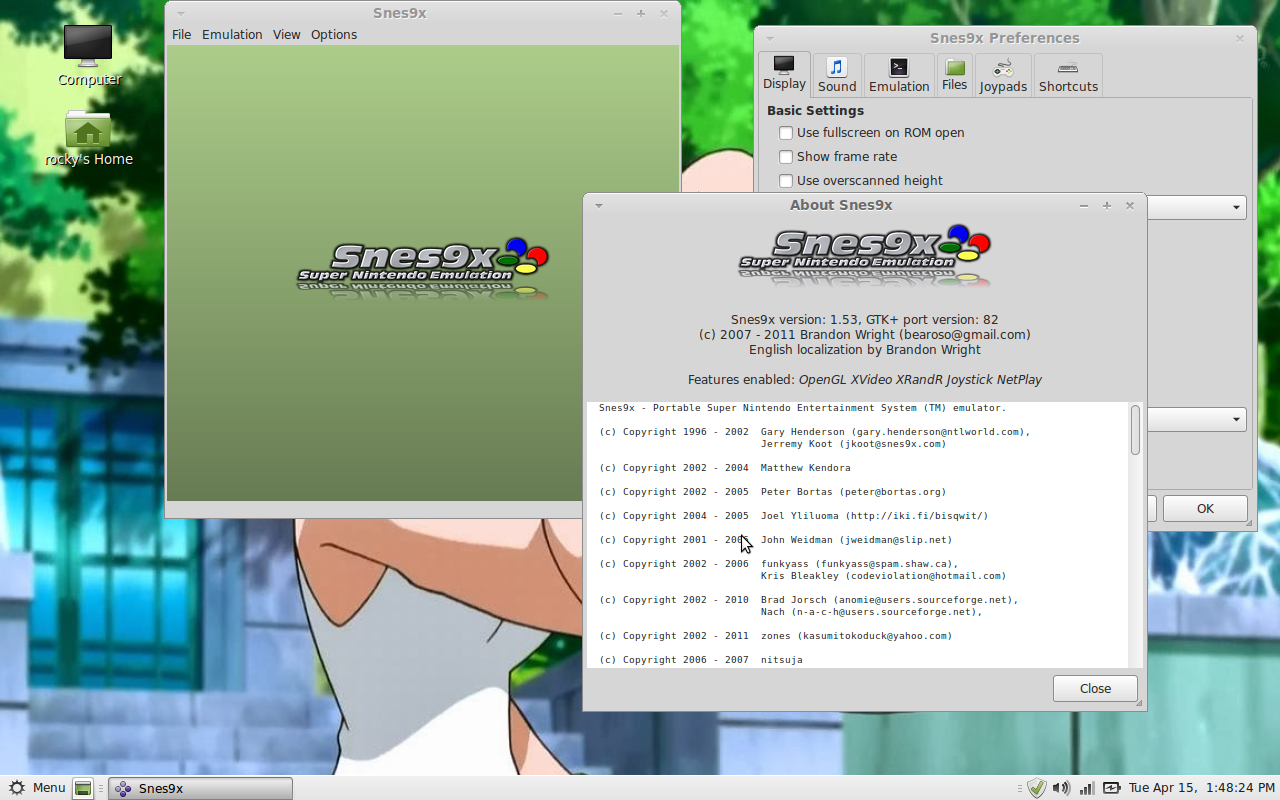
Snes9x 1.53 GTK; Running Under  Linux Mint 16.


Snes9x 1.53 GTK; Running under Linux Mint 16, 
Emulating the American version of "Secret of Mana".


Saturday, March 29, 2014

Great Local American Authors: David Daniel

Photo Copied from the Author's Facebook Page.
David Daniel is a Great Local American Author from the Small town of Westford, Massachusetts. That is Published by many Different Publishing firms; I have still yet to finish one of his Books. But, I can still say with total confidence that he has a very Excellent Writing Style as an Author, and he also Teaches English at University of Mass, Lowell. As a Writer he Writes works of Fiction, mostly of the Mystery Genre.  He was born in Boston, Mass; But grew up Weymouth on the South Shore, where he Learned to Surf. He really is a Great Author and I would recommend his Books to Anyone. (Even tho I never Finished one Myself) You may be able to find his Books at your Local Public Library. He actually is Stated by Most to be a Great Mentor Figure to Any Aspiring Author.


List of Published Works :
Legend: Title / Year Published/ ISBN/ Publisher/ Listed Price (On Book Cover; in USD)
Goofy Foot: An Alex Rasmussen Mystery/ February 2004 / 0-312-32349-2/ Thomas Dunne Books/  $23.95
White Rabbit: A Mystery/ March 2003 / 0-312-30429-3/ Thomas Dunne Books/ $25.95
(Short Stories) Six Off 66/ April 2008/ 978-1-60530-548-6/ Publishing Genus Press/ $10.00

(List will Updated when I Get More Books; to Copy the Info From.)

External Links:
David Daniel Books (Official Site) [Site Down]
Profile Page: Resident Writer at UMass Lowell
Profile Page: Facebook
Facebook Fanpage: David Daniel - Novelist and Teacher

Shop:
Barnes & Noble: David Daniel; Mysteries


Last Updated On: Saturday, April 5th, 2014 at 12:35 pm EST

Sunday, March 23, 2014

Nintendo 3DS Emulation on PC

Now Emulating the Nintendo 3DS on your PC can be very, very Tricky; About almost Every Single Emulator that you find online is a Fake one, Locked With Surveys, Missing the BIOS files, Needs to be Activated, or Loaded with Viruses. It has become so Bad that People start thinking that "Any Emulator that Locked with a Survey is Fake". Which is a shame; Why must People do that? Why do they Distribute Malicious Programs and Lock them behind a Survey? The answer is simply to scam us Out of our Money. They Earn Money from those Surveys.

How Ever, I did manage to Find a Decent Emulator that Actually Works; It's Called: "Rick's 3DS Emulator for Pokemon", and as the Name states; It is currently only able to Play either "Pokemon X Version" or "Pokemon Y Version". It has a "Fullscreen Mode", "Sound Emulation" and "Hardware GPU Acceleration" (Currently: Only for Nvidia GPU Cards!).

You Can find the Emulator Here:
Rick's 3DS Emulator for Pokemon (Official Site)

The Emulator comes with the needed Bios file and a Demo using the Intro of Pokemon X Version to show that it works. Which it Does; then It will ask you if you want to Download the "Full Version", and then it will Open up your Default Browser to the Rom Download Page Section on the Official Site.

The only Disappointment I had was, that all of the Downloads are Locked with Surveys; or You can e-Mail the Developer, and he'll Send the Emulator to you for $5 via PayPal (If Offers aren't Available in your Area); I have suggest to him a few times to "Remove the Surveys" and perhaps add a "Paypal Donation Box", kind of Download Lock instead. I mean if People Like the Emulator, they will Donate Money to Help Develop it, Right? It makes more Sense in my Expert Opinion.

It will take time to get to the Point of Full Emulation of Every 3DS Game; But atleast this Emulator is a Great Start in the 3DS Emulation Progress.

Suggested Thoughts for the Future of this Emulator:

  • Change the GUI to look More Like that of the DeSmuME emulator, in which Both Screens are Connected Together and Divided by a Border of Some Kind. (DeSmuME; releases their "Source Code" for the Emulator)
  • Add DirectX's XInput Support; for the Xbox360 USB Gamepads; The Left-Mouse Button can Still work the Stylus.  
  • XAudio Sound instead of DirectSound; May offer Better Sound Emulation.  

Data Last Updated On: March 24th, 2014 at 6:55 pm EST

Friday, March 21, 2014

PSP Emulation on PC

Hello, Recently I've Been getting into Emulating the PlayStation Portable (PSP) on my PC; The best Emulator to do this is called: "PPSSPP", it is really good.  And has been Ported to many Platforms.
Now, there's a Regular Free Version of the Emulator; or you Can Donate a amount of your Choosing ($2 USD Minimum) for the "Gold Version". There is actually no Major Differences between "PPSSPP" and "PPSSPP Gold", besides the Gold version's Icon is Gold; Donating Helps Support The Project and Growth of the Emulator.  The Windows Emulator Package contains Both the 32-Bit and 64-Bit program; I usually Use the 32-Bit version, tho. You only have to Donate once; and you get Permanent "Gold Status" and Access to All Current and Future Downloads of the PPSSPP Gold Version of the Emulator.

The Current Version of the Emulator is: 0.9.8
Platforms: Windows XP+, Mac OSX, Linux, iOS 6+ (Jailbroken), Blackberry 10, and Android OS
Requirements: A Graphics Card that Can Support OpenGL 2.0 or Newer; and Has atleast 1GB (1024MB) of  Memory or "Frame Buffer".
(I Have a Nvidia Geforce GT 610 GPU; OpenGL 4.2 Supported (Claimed on Box); 1GB Memory)

Other Requirements (Windows Version Only):
Microsoft Visual C++ 2013 Run-Time Package
(Needed to Run All Windows Versions 0.9.7 and Newer!)

You can Get it Here: Download: PPSSPP - PSP Emulator
The Most Recent Development Build: Download: PPSSPP Dev Build (CwCheat Enabled)

Reference Links:
Wikipedia: PPSSPP
General Emulation Wikia: PPSSPP

PSP Game Rom Formats:
Disc Image File (.iso)
Compressed Disc Image File (.cso)
PSP Firmware File (EBOOT.pbp) [In PPSSPP it's used mostly for PSP Homebrew and Game Demos]

Google "PSP Roms" to find Sites to Download them. (75% Legal; Questionable)
or Rip the UMD from your PSP Hardware running Custom Firmware (100% Legal)

PPSSPP is Also fully Compatible with any USB Xbox 360 Controller Automatically using DirectX's
XInput Drivers. (Windows version).

You can also use  CwCheats on PSP Games in the PPSSPP Emulator; But, You have to Enter The Codes Manually into the Game's Cheat file (.ini) and Activate them Manually. [Enable "Cheats" and "Networking", under "System Settings"; Game's Cheat INI will Auto Generate on Game Load; Get Cheats off of Google]

Example Cheat (Working):
_S ULUS-10560
_G Final Fantasy IV: Complete Collection
_C0 Max Gil
_L 0x203FB500 0x05F5E0FF

( _C0 = Deactivated; _C1 = Activated (You Might have to Reload the Emulator to Load the New Changes))

PPSSPP: Official Game Compatibility List

Other Downloads:
Check your OpenGL version and GPU Support Info for OpenGL:
 GLView 4.1 - OpenGL Extensions Viewer


Image Gallery: 

My Copy of PPSSPP Gold 0.9.8  for Windows.  


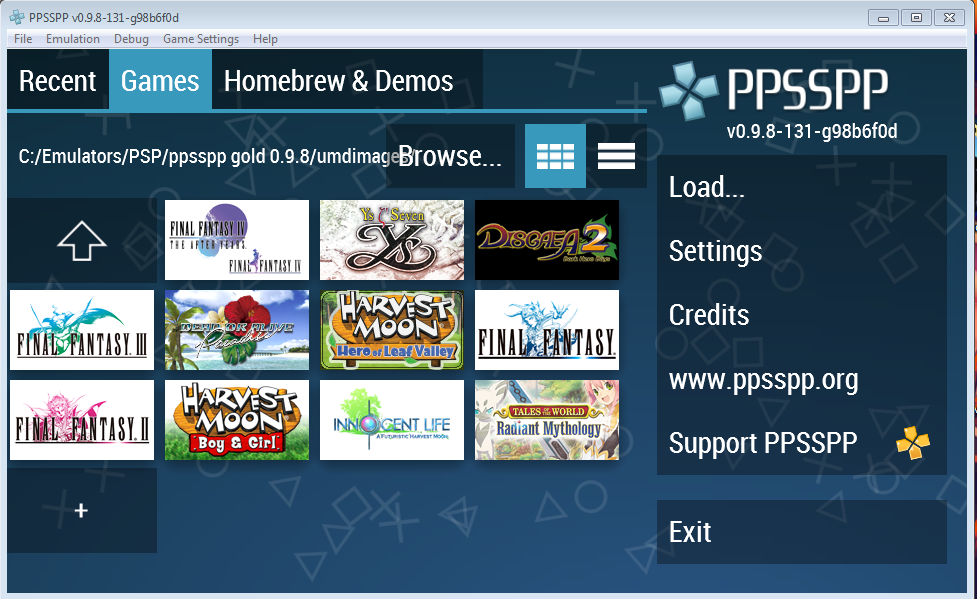
My Copy of PPSSPP Gold 0.9.8 for Windows; UMD Game Menu, I've  
Come to Understand that. Most Games that are "Playable", will Display a Background 
Image instead of just the Game's Banner, in the Upper-Left. 
Note: This Image is Displaying the American Copy of  "Dead or Alive: Paradise" 
(ULUS-10521).  

My Copy of PPSSPP 0.9.8-131-g98b6f0d; the Current Git 
Development Build; the "Cheat Menu" of  the Cwcheat System 
only works on the Development 
Builds, for Some Reason. 
(I Just Figured them Out; the Manual Cheats work on Official Builds.) 

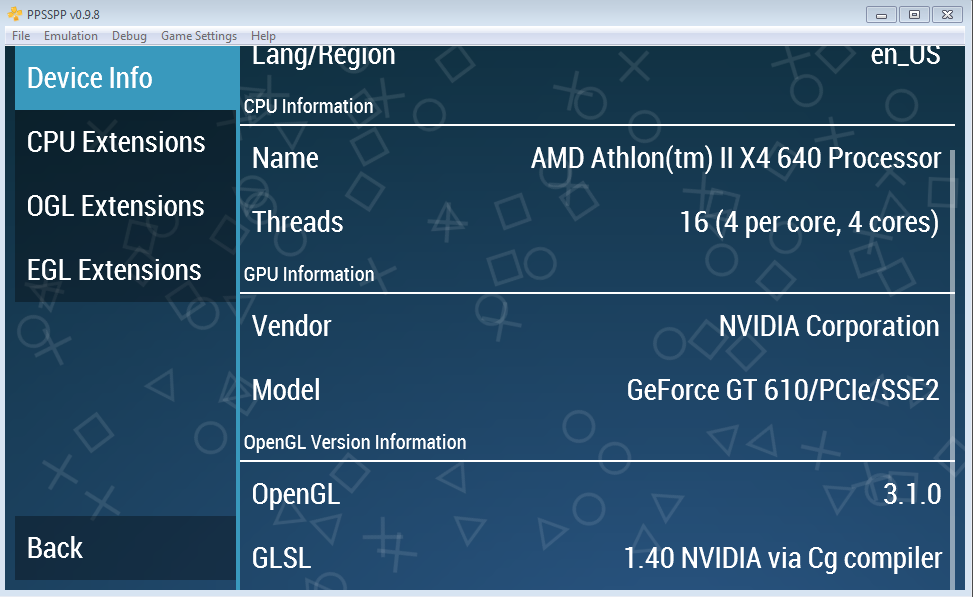
My Copy of PPSSPP Gold 0.9.8; Showing the Device Info (Under "Developer Tools") 
for my "Nvidia GeForce GT 610" GPU, and using OpenGL 3.1.0 for 
Graphics Rendering. 
(OpenGL 4.3 is Supported by my GPU (Claimed by my OS)) 


My Copy of PPSSPP Gold 0.9.8; With the American Version of 
"Final Fantasy IV: The Complete Collection" (ULUS-10560) loaded, with the 
"Max Gil" and "Infinite HP&MP" cheats Activated. 
(It's hard to tell if the HP cheat is activated; unless there's a Video; But it is) 
(Also, You can Still be KO'd with the Infinite HP&MP Cheat on, if the Enemy 
Depletes all of your HP in one Attack; Words of Wisdom "Level Grind")


Data Last Updated On: March 28th, 2014 at  10:55 am EST

Video Game Emulation - Updated 2023

I love to Emulate old Retro Video Game Consoles on my PC. And sometimes some even more Modern Consoles as well. Here are Some great Guides...