Friday, August 6, 2021

Video Game Emulation - Updated 2021

I love to Emulate old Retro Video Game Consoles on my PC.
A great Guide to Awesome Emulators; tho, Google the Emulator's Official site as their Download maybe of an Outdated Version: http://www.freeemulator.com/


Known Current Emulator Versions (for Windows; That I Personally Use):
Legend: Console/ Emulator/ Current Version (or Exact Version that I Use Currently)

PSP/ PPSSPP (x86)/ 0.9.9.1
Download: PPSSPP
PS2/ PCSX2/ 1.2.1 r5875
Download: PCSX2
PSX/ pSX/ 1.13 -final
Download: pSX Emulator
N64/ Project64/ 3.0.1
Download: Project64
SNES/Snes9x (x64)/ 1.53
Download: Snes9x
NES/ RockNES/ 5.142 (My Personal Favorite; not listed on the site)
Download: RockNES 5.142
GBA/ VBA-M/ 1.8.0 r1097
Download: VBA-M r1097
NDS/ MelonDS(x64)/ 0.9.2
Download: MelonDS
Wii & GCN/ Dolphin (x64)/ 5.0
Download: Dolphin
Atari 2600/ Stella/ 4.0
Download: Stella
MS-DOS/ DOSBox/ 0.74 (Doesn't quite work on 64-Bit hosts)
Download: DOSBox

As you see; I have Tried a Emulator for Almost Every Console! (Even a Semi-Working one for a Nintendo 3DS; But, I Talked about that in a previous Post)

Systems Currently without Emulators (Non-Working, Fake, Viruses, or Scams):
Microsoft Xbox 360, Microsoft Xbox One, Sony PS3, Sony PS4, Nintendo 3DS, Nintendo Wii U.

Currently "Homebrew Only" Projects:
Nintendo 3DS/ Citra
Sony PS3/ rpcs3
Microsoft Xbox 360/ Xenia

Graphics rendering with Emulators; for Windows mostly use DirectX (Usually Direct3D or Direct Draw); Tho, you can also get decent Graphics with OpenGL. And, certain Emulators are powered by OpenGL only. And you'll find that XAudio2 will work better than Direct Sound.

It's also common to Use a Gamepad with Many Emulators as Well.
My Gamepad is an PDP Afterglow AX.1 Xbox 360 USB Controller.

Linux Downloads:

Snes9x 1.53 GTK Deb Install Packages (.deb):
32-Bit: snes9x-gtk_1.53.903.81~saucy1_i386.deb
64-Bit: snes9x-gtk_1.53.903.81~saucy1_amd64.deb

These PPA Packages for Linux Ubuntu 13.10 "Saucy Salamander"; Tho, the Deb Packages will work with any "Modern" Distribution that can use the "GDebi" Package Installer. I installed the 32-Bit Version under Linux Mint 16. (Downloads Listed here Because they are hard to Find; and the Ubuntu/Mint version in the Software Center is Outdated.)

Media Files:
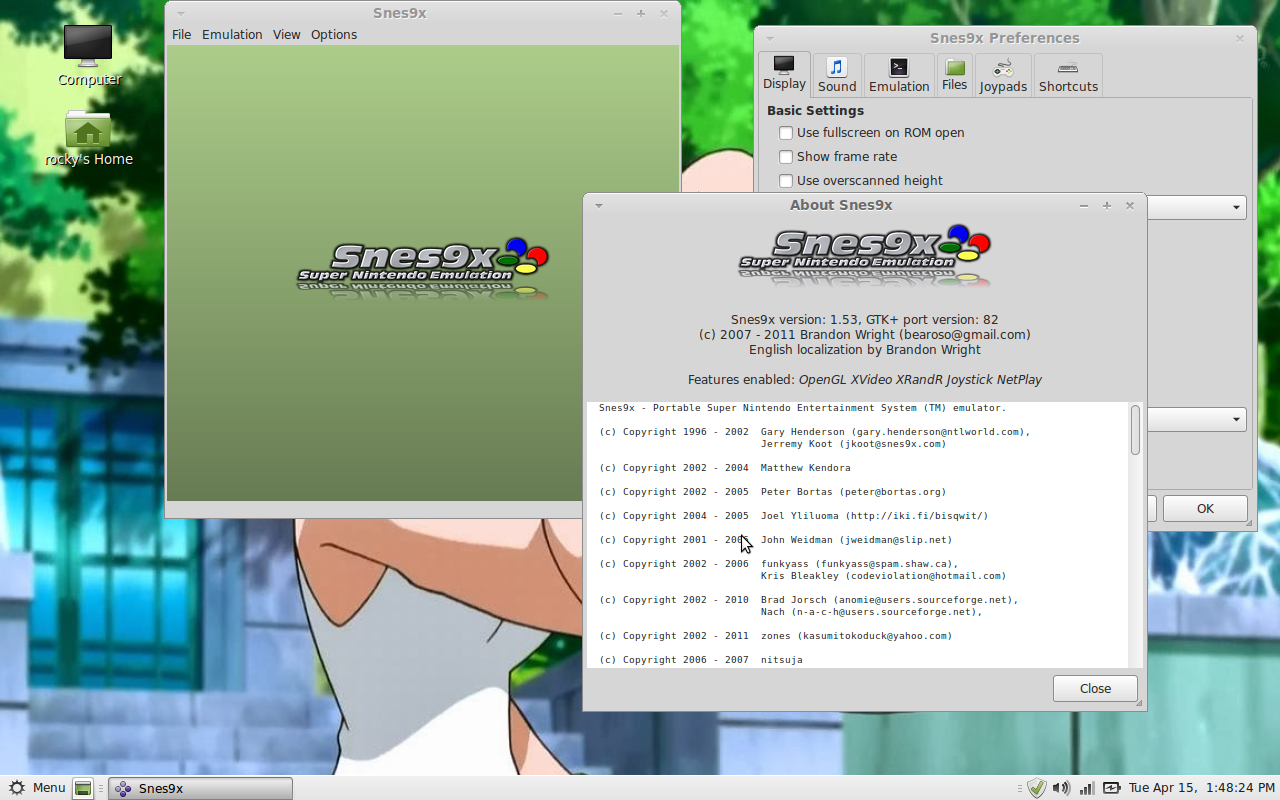
 
Snes9x 1.53 GTK; Running Under  Linux Mint 16.


Snes9x 1.53 GTK; Running under Linux Mint 16, 
Emulating the American version of "Secret of Mana".


Monday, February 24, 2020

Rune Factory 4 Special

Hello Friends,
With the Launch of the Remaster of Rune Factory 4 on the Nintendo Switch coming out in North America, Like Tomorrow. I just thought I would Chat about the Game a bit, as well as share Good links to Guides that may Help you with your Rune Factory 4 Special play through.
This Post will actually be mostly a collection of Rune Factory 4 and Rune Factory 4  Special websites and Guides. To help you if you get stuck. I just thought that I would Collect them here, to make it simple for Rune Factory 4 Veterans and Noobs alike. Most of the Online Guides will be for the Original Rune Factory 4 on the Nintendo 3DS, as the Gameplay and Story hasn't really Changed much. Mostly updated with HD graphics. All of Town and Marriage events should be the same as the 3DS original. I hope you Guys are Psyched for Rune Factory 4 Special now!

Official Web Stores (Where to Buy):
Xseed Games Store - Rune Factory 4 Special

Official Websites:
Rune Factory 4 Official Site
Rune Factory 4 Special - Nintendo eShop 
Rune Factory 4 (3DS) - Nintendo eShop

Reference Sites:
Wikipedia - Rune Factory 4
Fandom - Rune Factory 4 Special 

Online Guides:
The Rune Factory Fandom - Rune Factory 4
Neoseeker - Rune Factory 4 Town Events 
Neoseeker - Rune Factory 4 Walkthrough Guide


YouTube Playthroughs:
Playlist: Rune Factory 4 by Sirlionhart 
Video: Let's Play Rune Factory 4 Special [First Hour+] by Nindie Spotlight

Tuesday, January 28, 2020

My Top Favorite Video Games of the Past Decade

Hello, today I will be Listing off all of my Top Favorite video games of the Past Decade. All of these games were released in the 2010's; but, came out on varied Video Game systems. I will be sourcing the Release years for the Games from the Steam Store. (Unless the game is a Console Exclusive)
This, List is completely my Personal Opinion, and this will also be an Top 10 List. So, Without further Ado, Here's the List. Please, Enjoy!


#10 -  Lego Harry Potter Collection (2016)


#9 - Wakfu (2014)


#8 - Fable III (2010)


#7 - Everlasting Summer (2014)


#6 - Shantae: Half-Genie Hero (2016)


#5 - Wolf Tails (2018)


#4 - Pokémon Sword Version (2019)


#3 - TESV: Skyrim Legendary Edition (2011)


#2 - South Park The Stick of Truth (2014)


#1 - South Park The Fractured But Whole (2017)

Tuesday, March 19, 2019

Bootleg Games: Pokémon Snakewood

One of my favorite Pokémon Rom Hacks/Bootleg Game cartridges is of course called Pokémon Snakewood. The plot of the game is set in the Hoenn Region, three years after the events of Ruby, Sapphire, and Emerald. Hoenn is ravaged by a Zombie Apocalypse, and your Older Brother Landon and, Prof. Birch's Daughter May. Disappeared while trying to Stop the Zombie Plague. You can Play the Rom Image in a GBA Emulator on your Android Phone or Computer, or if you have a working GBA or NDS Lite; you can buy an Bootleg Cartridge on eBay or Etsy. It's a good game, if a bit difficult at times. I would definitely never recommend playing this game as an Nuzlocke Challenge. It is still extremely fun to play, tho. And it is well worth it to buy a Bootleg Cartridge on the Internet.
Mostly for Portability. The game does randomly Glitch and Freeze sometimes when entering an Trainer Battle, forcing you to reset the Game; So, save often like whenever you can! (Not sure if its a glitch specific to the physical bootleg or not, I haven't tested the emulated rom very often)

Purchase an Bootleg GBA Cartridge:
Pokémon Snakewood - Etsy (RetroGamersUS)
Pokémon Snakewood - eBay (g0gigigamerg0 ; US Seller)


Official Links:
Pokémon Snakewood - Official Site/Blog

Misc. Links: 
Pokémon Snakewood - Wiki Fandom
Pokémon Snakewood - PokéCommunity Forums
Pokémon Snakewood - GBA Hacks Blog
Pokémon Snakewood - Romhacking Network

PC Emulators:
Download: VBA-M 2.1.1 (Github)

YouTube Playlists:
Pokémon Snakewood Walkthrough by HeroVoltsy
Pokémon Snakewood Nuzlocke by TheKingNappy
Pokémon Snakewood Nuzlocke by HoodlumCallum


Misc. Images:
Bootleg Cartridge (Front)

Bootleg Cartridge (Back)

Bootleg Cartridge (Opened)

Bootleg Cartridge (in GBA Slot)

Bootleg Cartridge (Running Game)
Bootleg Cartridge (Saving Game)

Bootleg Cartridge (Continue Game)

Saturday, January 26, 2019

Adobe Reader 9.5.5 for Windows

I personally prefer using old versions of Adobe Reader on my PC mostly because the UI is much better, and quick to load or render the PDF Documents. As it stands most PDF files that you find will be using at least PDF standard 1.7. So you will need at least Adobe Reader 7.0 installed on the PC. These older versions are great Offline but Online try sticking to Firefox's PDF.JS to view the PDF within the Browser. I am actually Running Adobe Reader 9.5.5 under Windows 7 Home Premium (64-Bit). It's a strange install Process too; First you need to Install "Adobe Reader 9.5.0" via the EXE or MSI installer, then you have to install the 9.5.1 - 9.5.5 updates in order via the MSP files. But if you are still using an Archaic OS such as Windows XP, even just for Gaming, try using Adobe Reader 7.0.9 instead it will probably run better and it can open your PDF format Game Manuals/Game Guides. (I wouldn't run anything newer than Adobe Reader 8 on XP tho.) And the following Download Links are from the Official Adobe Reader FTP Archive. (Unless the Hyperlink mentions otherwise) And all of the Downloads are the US English versions of the Software.


Windows Installer Files (Windows 7):
Adobe Reader 9.5.0

Update Installers:
Adobe Reader 9.5.1
Adobe Reader 9.5.2
Adobe Reader 9.5.3
Adobe Reader 9.5.4
Adobe Reader 9.5.5 


Legacy Installers (Windows XP):
Adobe Reader 7.0.9 

Legacy Installers (Windows 98-2k):
Adobe Reader 6.0 


Legacy Installers (May Run on Windows 98-2k):
Adobe Reader 7.0

Legacy Installers (Windows 95):
Adobe Reader 5.0.5 (Old Version)

Other Installers:
Adobe Reader 9.5.5 for Linux 

Images:
Adobe Reader 9.5.5 Running on Windows 7.

Saturday, January 19, 2019

My Most Prized Possession

Currently my most prized possession to date, that I have the most Love for in my collection of everything that I own. Would have to be my Nintendo DS Lite that I got off of eBay. My Nintendo DS Lite will be used for playing my NDS and GBA games. While, my Gameboy Advance will be for Playing my GBC and GB games. I enjoy playing the Nintendo DS Lite alot, so what if the Nintendo Wireless Network was shutdown for the DS? It's fun for Offline Play, and I am sure Local Wireless works fine. Only downside to the DS Lite was it only can use WEP encrypted Wifi networks. But, the games/handhelds are all Region-Free up until the Nintendo DSi, so as long as a game isn't "DSi Exclusive". Pokémon Black and White are "DSi Enhanced", but are only Region-Locked when played on an Nintendo DSi, 3DS, or 2DS. So, they will play on any Region console of the Original DS or Nintendo DS Lite. You will only miss out on the Camera Features of the game's Online Video Chat. (Xtransceiver) Which is Useless now as Online was shutdown in 2014.  An US Action Replay DSi still works on the Japanese DS Lite, too. (If you still have one, that is, Datel no longer makes it anymore)

Other Info about the Handheld:
The Nintendo DS Lite is rather very cheap to import into the United States, from Japan via eBay. An average console (usually without a charger and near dead battery) will usually costs about $6 usd, SAL shipping (takes between 2-4 weeks) costs about $7 usd; a total of about $13 usd for the console. as for the charger you can buy an 3rd party "Onn DS Family Charger" (Also charges your 3DS/2DS) for about $7 from Walmart. So you can get a decent and cheap DS Lite for about $20 usd.

Shopping Links:
Onn DS Family Charger ($8.96 usd; NDS Lite - 3DS XL) - Walmart
Insten Travel Charger for Nintendo DS Lite ($2.69 usd; NDS Lite) - Walmart


Info on my gaming Handhelds:

Nintendo DS Lite - Model No. USG-001
Color: Metallic Pink (Rose Metal) 
Region: Japan  (System Firmware set in English)
Personal Use: Playing NDS and GBA Games

Nintendo Gameboy Advance - Model No. AGB-001
Color: Glacier Blue 
Region: North America
Personal Use: Playing GBC and GB Games

Nintendo 2DS - Model No. FTR-001
Color: Red/Black 
Region: North America
Personal Use: Playing 3DS Games/Software

Nintendo Gameboy - Model No. DMG-01
Color: Grey
Region: North America
Personal Use: Broken/Unusable (Power/Battery)

Misc. Pictures:


This Post was last Updated on: 03/09/2019 at 2:43pm EST

Wednesday, December 5, 2018

Zelda Minish Cap Reproductions

The Legend of Zelda: The Minish Cap for the Nintendo Gameboy Advance; is, one of the Most Bootlegged or Reproduced GBA Game Titles these days. You have to be really weary of a Bootleg or Reproduction Cartridge from China. These games usually have Problems with Saving the Game or ship with Save or two either "Hardcoded" or "Softcoded" with the Name "AAAAA" to the Game Cart; or wouldn't save correctly because the Cart has a Physical SRAM Save system being tricked as an EEPROM save format. It's also known that a Genuine Game won't have a Save Battery. Some carts will also use a cheap plastic shell with the Model No. AGB-004, the Genuine Cart shell is Model No. AGB-002; in theory a Save Battery may still work well, until it runs dry.  Games using either a Flash or EEPROM chip, will save indefinitely. If the Reproduction Carts work great for you then Good Gaming. Reproductions are useful for people that want to Play the Game for a cheap price. (If you can wait approx. 3 weeks for it to arrive from China) My Copy seems to work fine so far. (I shall update this Post if the Save system fails; as well as when it failed.)

Misc. Images:
Reproduction Game Label (USA Design)

Official Nintendo Game Shell (Model No. AGB-002)

Reproduction Circuit Board (With Save Battery?)

Perhaps the Saves will hold up? (Newly created Save file "Rocky" after System Restart)
In Game Menu (Inventory Screen)
Saving my Progress In-Game


Video Game Emulation - Updated 2023

I love to Emulate old Retro Video Game Consoles on my PC. And sometimes some even more Modern Consoles as well. Here are Some great Guides...